A couch ARPG in a browser tab, then the same code on a phone
Console-style gamepad play with stick movement, a sticky cone auto-target and DOM-driven menu focus, then touch as a third pad, with phone sheets, tap-to-act items and a 27-step emulated-iPhone run.
Contents
- What one agent built
- Moving with a stick in a click-to-move game
- Aiming without a cursor
- Menus without a single line of pad code per panel
- The Start menu, the chat wheel and rumble
- Testing a controller without a controller
- Then the phone
- The stick and the skill wheel
- The interact plate and tapping the world
- pointerdown, not click
- Layout and input are separate switches
- Panels as sheets, items by tap
- Quality tiers and dynamic DPR
- The page around the game
- A 27-step play-through on an emulated iPhone
- Related posts
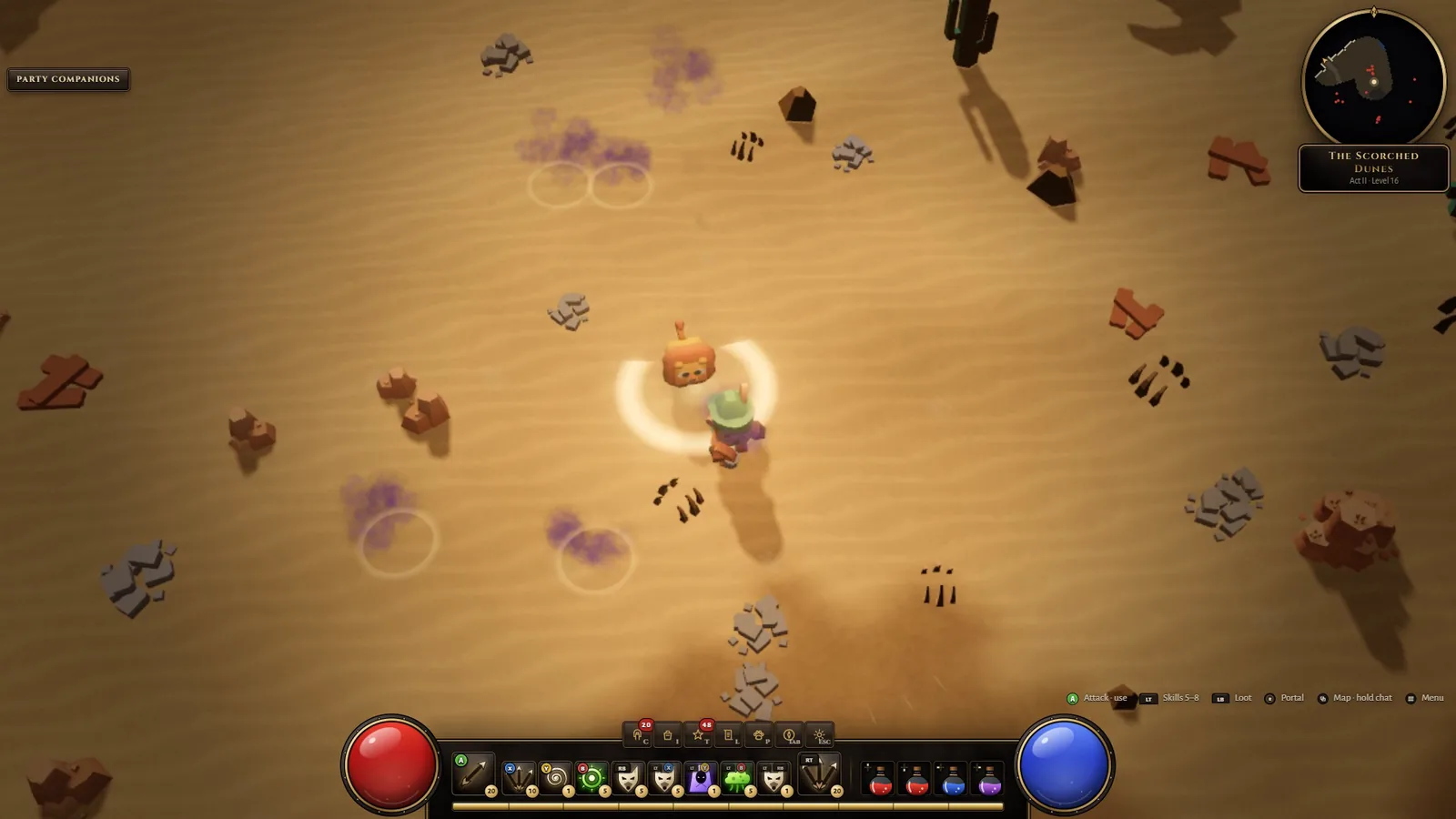
Gamepad play the way console ARPGs do it: the left stick moves you directly, attacks go where you face, menus are a focus ring. Not a cursor steered by a thumbstick. The same machinery then became most of the phone scheme.
What one agent built
The controller agent owned src/game/input/gamepad/ and src/game/ui/controller/ (~3,700 lines with tests) and touched shared files only at // pad: hunks.
PadController's rAF callback runs before the engine's, so a stick push lands in the frame that renders it. Each frame it polls the first standard-mapping pad and runs one mode, in priority order:
- Rebinding capture
- Quick-chat wheel (View/Create held)
- Housing build mode
- Menus (any panel open)
- World
It calls the same gameActions as the mouse (moveTo, attack, cast, pickup, interact, useExit, stop, usePotion), so the server can't tell the difference.
Moving with a stick in a click-to-move game
Every 100 ms while held, send a predicted moveTo 1.8 tiles ahead; stop on release. Walls: bend the target up to ±75°, smallest bend first, accepting only real progress along the stick:
export const MOVE_LOOKAHEAD = 1.8
const SLIDE_DEG = [0, 25, -25, 50, -50, 75, -75]

export function moveTargetFor(from: Vec, dir: Vec, walkable: (x: number, y: number) => boolean, lookahead = MOVE_LOOKAHEAD): Vec | null {
  const base = Math.atan2(dir.y, dir.x)
  const step = 0.25
  for (const deg of SLIDE_DEG) {
    const a = base + (deg * Math.PI) / 180
    const dx = Math.cos(a)
    const dy = Math.sin(a)
    let best = 0
    for (let d = step; d <= lookahead + 1e-6; d += step) {
      if (!walkable(from.x + dx * d, from.y + dy * d)) break
      best = d
    }
    // a bent direction must make real progress along the stick, not just scrape the wall
    const along = best * Math.cos((deg * Math.PI) / 180)
    if (best >= 0.5 && (deg === 0 || along >= 0.35))
      return { x: from.x + dx * best, y: from.y + dy * best }
  }
  return null
}walkablereads the client's nav grid, so the server almost always accepts the target- Walking: under half deflection (or L3 toggle) sends
move { walk: true }, the only wire change; the server runs it atWALK_SPEED_FACTOR0.5 and prediction mirrors it - Deadzone: radial with rescale, so diagonals aren't sticky and travel doesn't jump to 18%:
/**
 * Radial deadzone with rescale: inside `dz` → 0; outside, magnitude remaps dz..1 → 0..1 so the
 * first bit of travel past the deadzone is still fine control (no jump to 0.18).
 */
export function radialDeadzone(x: number, y: number, dz = DEFAULT_DEADZONE): Stick {
  const m = Math.hypot(x, y)
  if (!(m > dz)) return { x: 0, y: 0, mag: 0 }
  const scaled = Math.min(1, (m - dz) / (1 - dz))
  return { x: (x / m) * scaled, y: (y / m) * scaled, mag: scaled }
}
Aiming without a cursor
A face button fires at the best hostile within 14 tiles in a 65° cone, or anything within 2.2 tiles on any side. Distance dominates; angle off facing adds up to 150%:
export const DEFAULT_TARGETING: TargetOptions = { range: 14, coneDeg: 65, closeRange: 2.2, stickiness: 1.35 }

export function scoreTarget(from: Vec, facing: number, c: TargetCandidate, o: TargetOptions): number | null {
  const dx = c.x - from.x
  const dy = c.y - from.y
  const d = Math.hypot(dx, dy)
  if (d > o.range) return null
  const off = d < 1e-4 ? 0 : Math.abs(angleDiff(Math.atan2(dy, dx), facing))
  const cone = (o.coneDeg * Math.PI) / 180
  if (off > cone && d > o.closeRange) return null
  const angleCost = 1 + 1.5 * Math.min(1, off / Math.max(1e-3, cone))
  return (Math.max(0.3, d) * angleCost) / Math.max(0.5, c.priority ?? 1)
}- Priority: champions 1.15, uniques 1.3, bosses 1.6
- Stickiness: keep the current target until something scores 35% better
- Lock: while an attack button is held, the stick only aims
- Repeat: every 300 ms, inside the server's 450 ms hold window
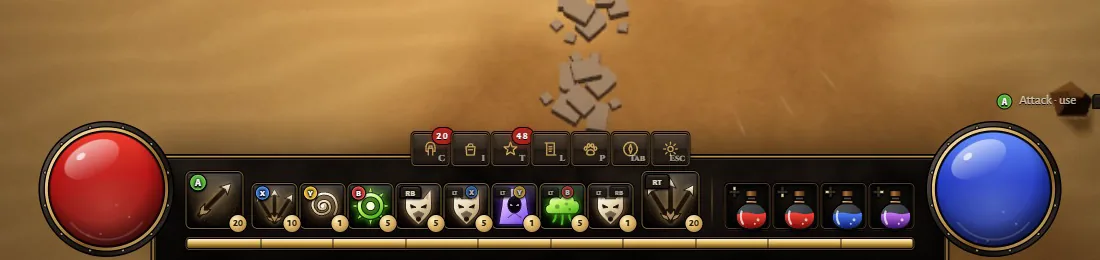
- Skills: targeted at the target; ground skills with no target land ahead (skill range, max 8 tiles); self, buff, aura and nova just cast
- Context Ⓐ: no hostile within 8 tiles in the cone and something usable within 2.5, so Ⓐ becomes "Talk to Captain Marrow", "Use waypoint", "Travel to…". Loot beats objects; LB cycles several items
Menus without a single line of pad code per panel
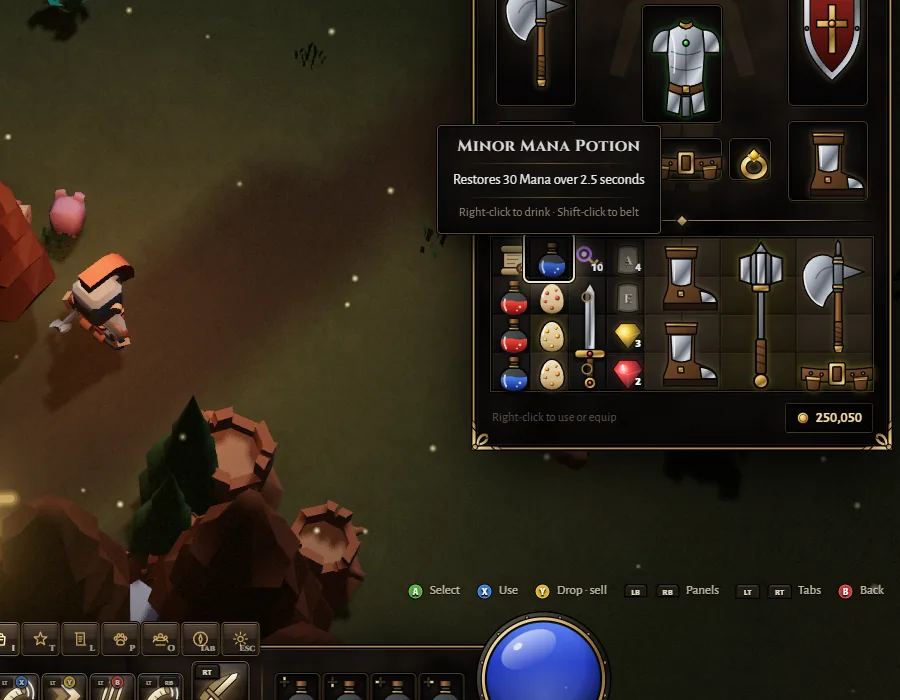
A dozen-plus panels by several agents. Instead of teaching each about a pad, PadNavigator works off the DOM:
// Controller focus for every HUD panel, driven from the DOM so the kit components stay untouched:
// scopes are `.gr-panel` / `[data-pad-scope]` elements, targets are their enabled buttons plus
// `.gr-grid` item grids (navigated cell by cell, footprints respected, see nav.ts). Focus is shown
// by PadLayer's ring and mirrored as synthetic pointer hover, so the real tooltips, footprint
// previews and held-item follower all work; A / X are real click / contextmenu events, so every
// gesture runs through the same handlers (invPlan → invMove) as the mouse.
const SCOPE_SEL = '[data-pad-scope], .gr-panel'
const TARGET_SEL = 'button, [data-pad-target], .gr-grid'
const TAB_SEL = '[role="tab"], .gr-tab'- Grids move cell by cell with an item as one stop; a held item's footprint preview moves under a breathing gold ring
- Button focus is a pure spatial pick (nearest in direction, angle penalty), tested in
nav.test.ts - Holding a combat button on a skill node for 450 ms binds it
Every panel built later was navigable on day one. src/game/party/PartyPanel.tsx says so: "Plain buttons, so the pad's menu layer navigates it with no pad code".
The Start menu, the chat wheel and rumble
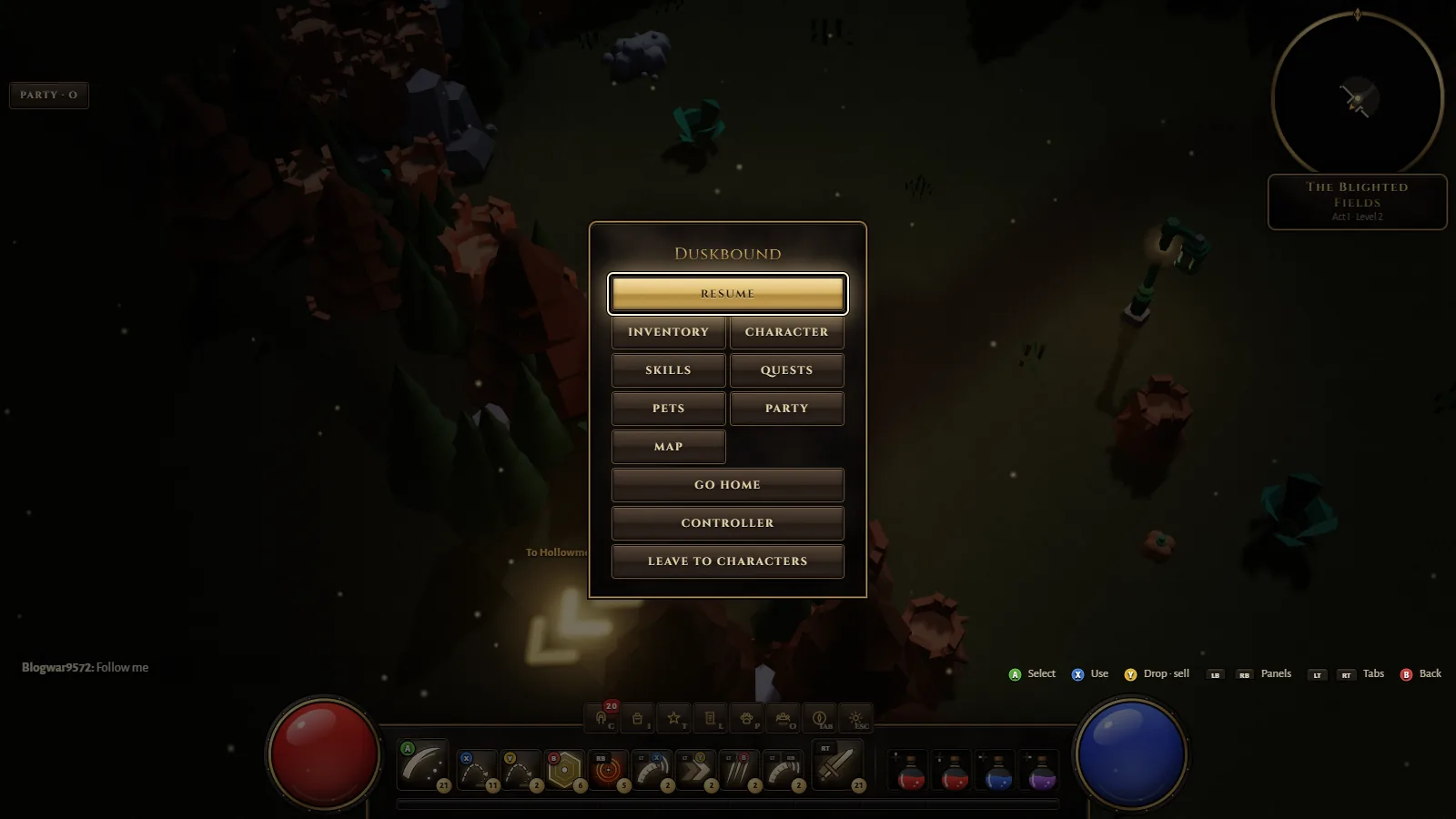
A browser can't raise the OS keyboard from a pad, so holding View/Create for 280 ms opens a quick-chat wheel (Hi, Follow me, Need potions, Nice, Ready, GG) that sends to party or zone.
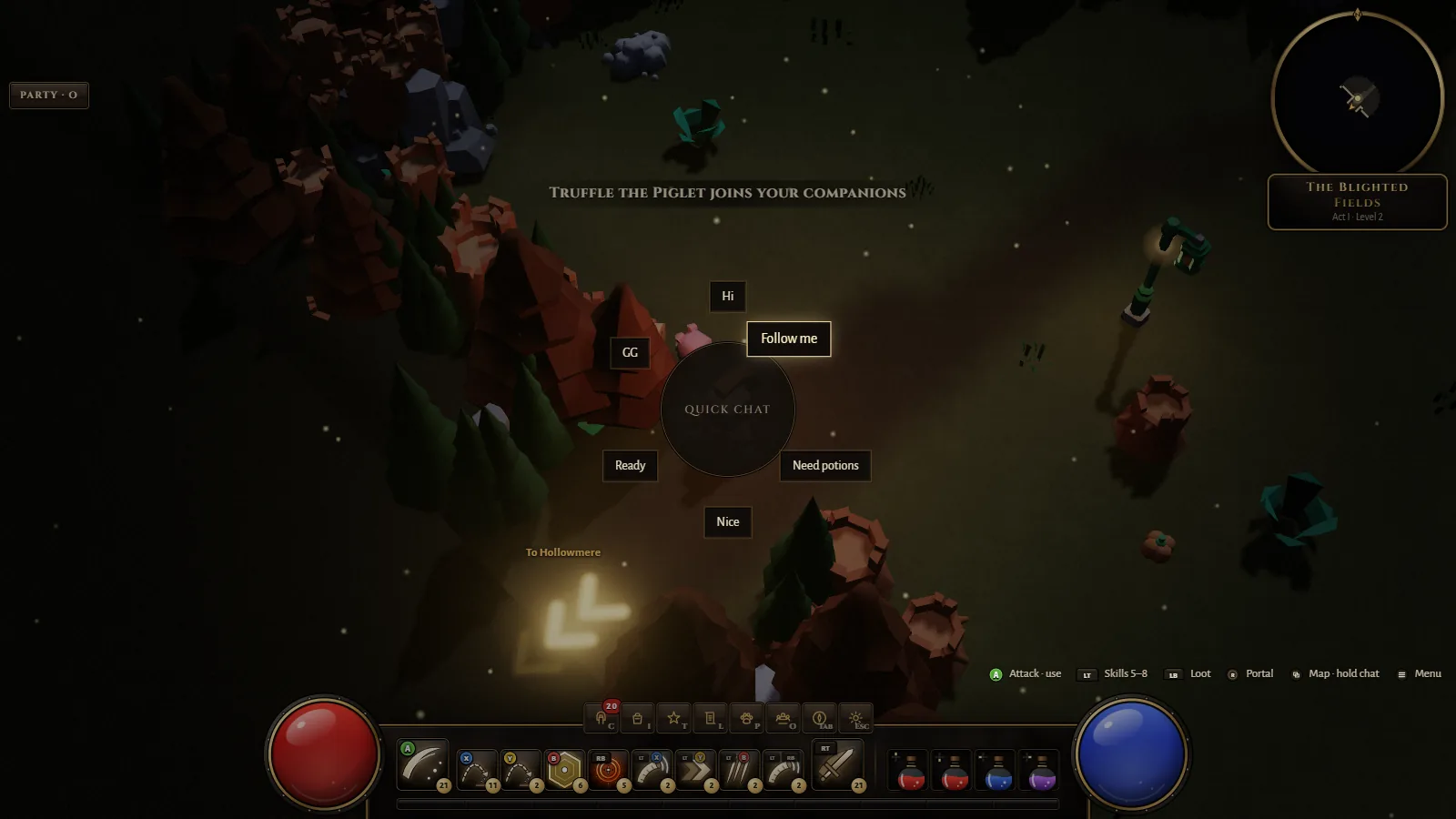
- Rumble on damage (scaled, stronger on crits) and level-up
- Settings: rebinding (conflicts swap), glyphs (Auto, Xbox, PlayStation), rumble, deadzone (18%), start in walk mode; zod-parsed from
localStorage['gr.pad.v1'] - Last device used owns the HUD: stick push shows glyphs, real mouse move restores keys
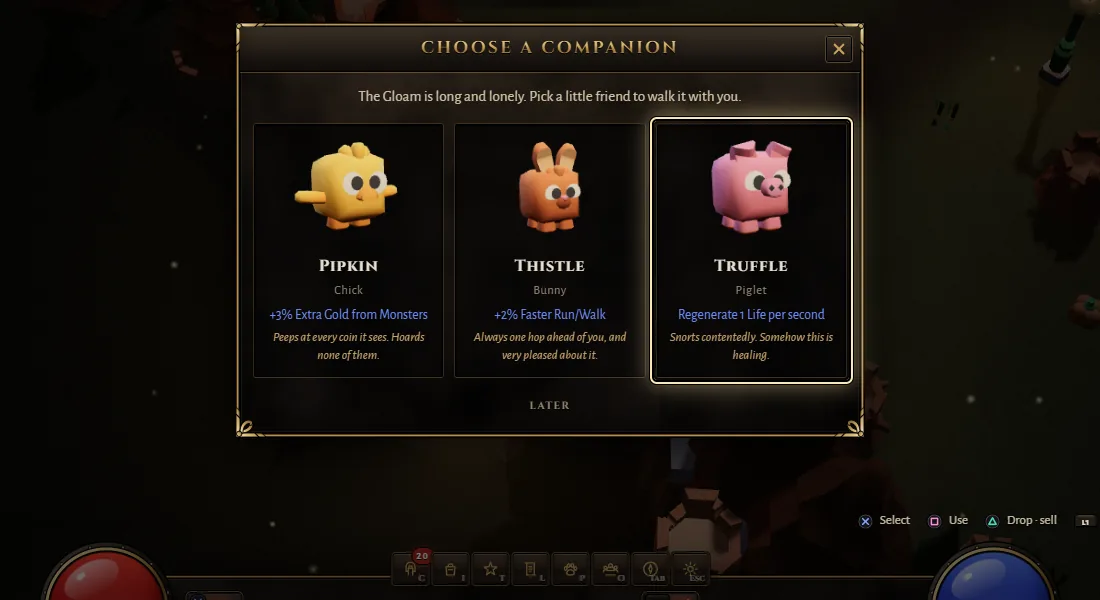
Glyphs come from Gamepad.id. Microsoft (045e) is checked first, since a DualShock 4 over USB calls itself "Wireless Controller":
export function detectGlyphs(id: string): GlyphSet {
  if (/xbox|045e/i.test(id)) return 'xbox'
  return /054c|playstation|dualshock|dualsense|wireless controller|ps[345]/i.test(id)
    ? 'playstation'
    : 'xbox'
}
Testing a controller without a controller
No agent had a physical pad. window.__grPad feeds the exact path a real pad does:
//   __grPad.inject({ axes: [lx, ly, rx, ry], buttons: { a: true, rt: 1 } })   // held until changed
//   __grPad.inject({ buttons: [0, 0, 1] })                                   // standard indices work too
//   __grPad.tap('a', 120)  ·  __grPad.release()  ·  __grPad.state()
A full bx session ran through it: walking and walk pace, leaving town, auto-target fights with held Ⓐ and Ⓧ, loot, potions, talk → trade → buy, equip on the paper doll, learn and bind, map, quick chat, town portal, build mode. 34 unit tests cover deadzone, glyphs, bindings, settings parsing, stick-to-world, wall slide, target scoring, spatial pick and grid footprints.
Then the phone
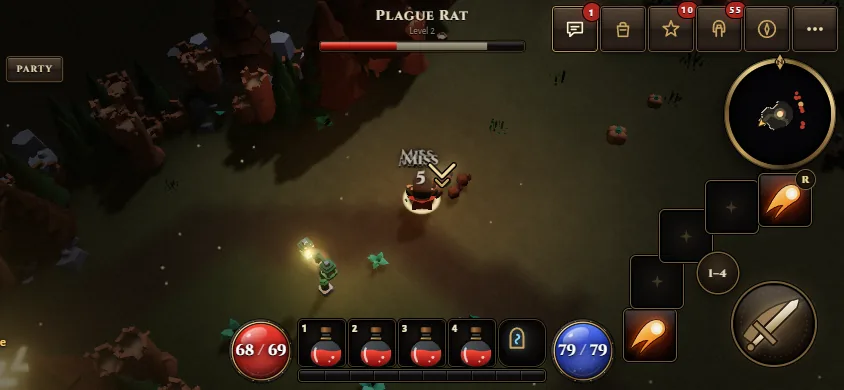
A touch ARPG scheme (floating left stick, big attack button with skills around it, auto-target, hold to repeat) is a gamepad drawn on glass. So touch is a third pad: TouchInput emits the same PadFrame:
// mobile: the touch "pad". Owns the floating thumbstick (touches that start on the canvas in the
// left zone), the on-screen buttons held right now (TouchControls presses / releases them), the
// skill page toggle and drag-to-aim, and turns all of it into the same PadFrame the gamepad
// produces, so PadController's world mode drives touch play with no second implementation.
Carried over unchanged: 10 Hz moveTo with wall slide, walk under half deflection, the sticky cone target and gold reticle, 300 ms repeat, aim-only while holding a skill, the context prompt.
The stick and the skill wheel
/** Knob travel for full deflection, in CSS px. */
export const STICK_RADIUS = 56
/** Radial deadzone as a fraction of STICK_RADIUS. */
export const STICK_DEADZONE = 0.12
/** Touches starting in this left fraction of the game area drive the stick. */
export const STICK_ZONE = 0.42
/** A touch shorter than this that barely moved is a tap (talk / pick up / attack what's under it). */
export const TAP_MS = 260
export const TAP_SLOP = 12
/** Under this deflection the hero walks (same threshold the pad uses). */
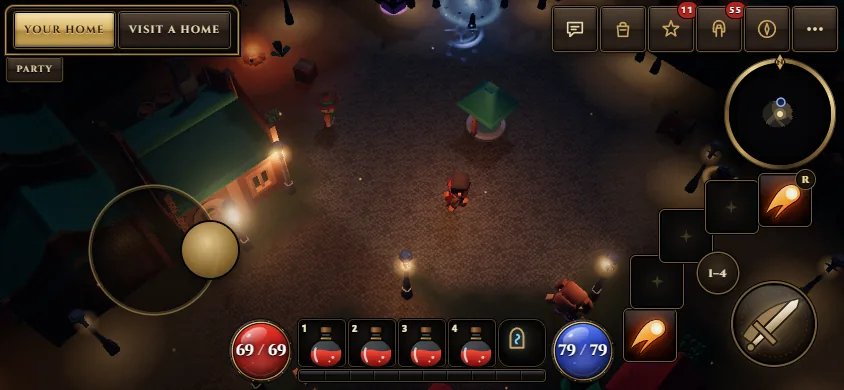
export const WALK_BELOW = 0.5- The stick drops where the thumb lands in the left 42%; past 56 px the base follows the thumb
- Bottom right: attack button for the left skill, slots 1–4 and the right skill arced around; a
1–4chip flips to 5–8 - Buttons reuse
SkillButton, so cooldown sweeps and no-mana tints are free - Drag to aim: drag a held skill more than ~20 px to cast where it points, ignoring auto-target
The interact plate and tapping the world
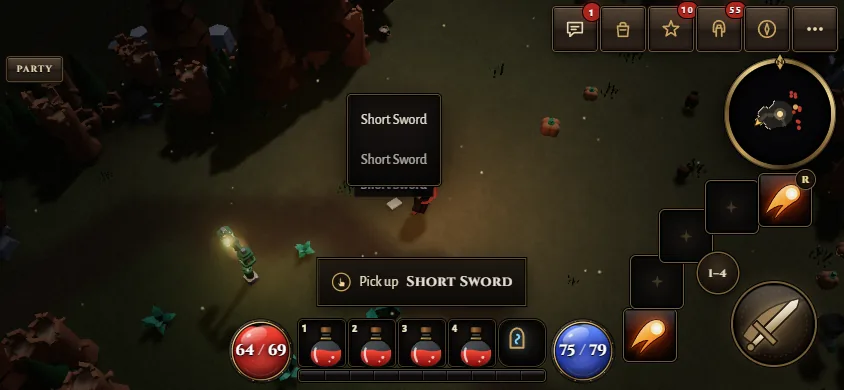
The attack button only fights. Talk, loot and travel go through a plate above the belt ("Talk to Wren", "Pick up Short Sword"), visible even near hostiles, since on a phone it's a separate thumb. A tap (≤ 260 ms, ≤ 12 px) acts on whatever is within 1.3 tiles of the finger, or walks there.
pointerdown, not click
Browsers only synthesize click for single-finger taps, so a potion tapped while holding attack would never fire. Every touch button acts on pointerdown and captures its pointer:
/** Pointer handlers that press / release a touch button (capture keeps the release on this node). */
function useHold(b: TouchButton) {
  const onPointerDown = useCallback(
    (e: ReactPointerEvent<HTMLElement>) => {
      e.preventDefault()
      e.stopPropagation()
      e.currentTarget.setPointerCapture(e.pointerId)
      padBridge.touch?.input.press(b, { id: e.pointerId, x: e.clientX, y: e.clientY })
    },
    [b],
  )
  // … release on pointerup / pointercancel / lostpointercapture
}
Stick and buttons track their own pointer ids: walk with one thumb, fight with the other.
Layout and input are separate switches
- HUD follows the device: touch-first starts in touch mode; any
pointerType === 'touch'switches to it, a real mouse or key to classic, a pad press to glyphs. The on-screen keyboard doesn't count. - Layout follows the viewport: under
(max-height: 540px), (max-width: 760px), panels become full-height sheets; two-column panels split the screen.
Phone plus Bluetooth pad: sheets with Xbox glyphs. Phone plus mouse: classic bar at 60%. Touchscreen laptop: desktop layout, touch HUD while touching. Both are Tailwind variants (phone:, touch:).
Panels as sheets, items by tap
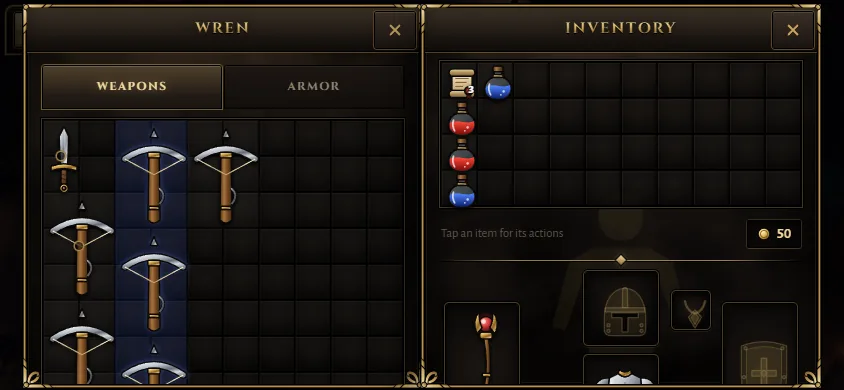
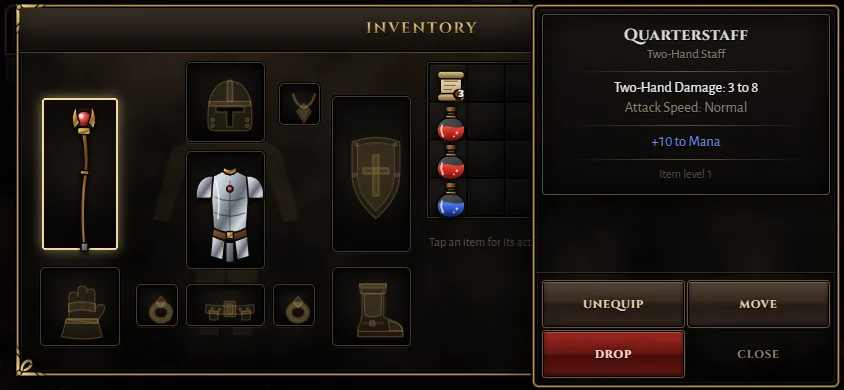
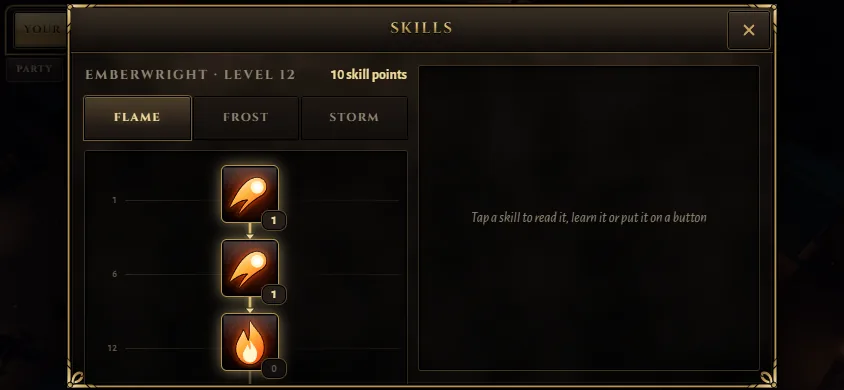
Tap an item to select it and dock its tooltip with actions from the same planners as mouse and pad: Equip, Use, Unequip, Move, Drop, Sell, Buy, Gamble, To stash, To bag, To belt, Socket, Identify. Long press (450 ms) or Compare adds the worn item. Skill nodes read on tap and offer Learn and Bind. Build mode: tap a piece, tap to place, Rotate and Remove buttons.
Quality tiers and dynamic DPR
const TIERS: Readonly<Record<QualityTier, { samples: number; shadow: number; shadowEvery: number; pool: number; particles: number; bloom: boolean; dprFloor: number }>> = {
  high: { samples: 4, shadow: 2048, shadowEvery: 1, pool: 10, particles: 1, bloom: true, dprFloor: DPR_MIN },
  medium: { samples: 0, shadow: 1024, shadowEvery: 2, pool: 6, particles: 0.7, bloom: true, dprFloor: 1 },
  low: { samples: 0, shadow: 1024, shadowEvery: 3, pool: 4, particles: 0.45, bloom: false, dprFloor: 0.8 },
}
Touch-first devices cap DPR at 1.5 and start on medium. Dynamic resolution drops DPR by 0.2 after 1.5 s over 20 ms; the mobile work added a second stage that steps down to low at the tier floor before going below 1.0. Desktop never steps its tier.
The page around the game
- No pinch or double-tap zoom (viewport flag plus prevented
gesturestartanddblclick, since iOS ignores the flag) - No overscroll bounce, no HUD text selection or callouts; 16 px inputs so iOS doesn't zoom on focus
- First finger lift requests fullscreen and landscape lock, failing silently where unsupported
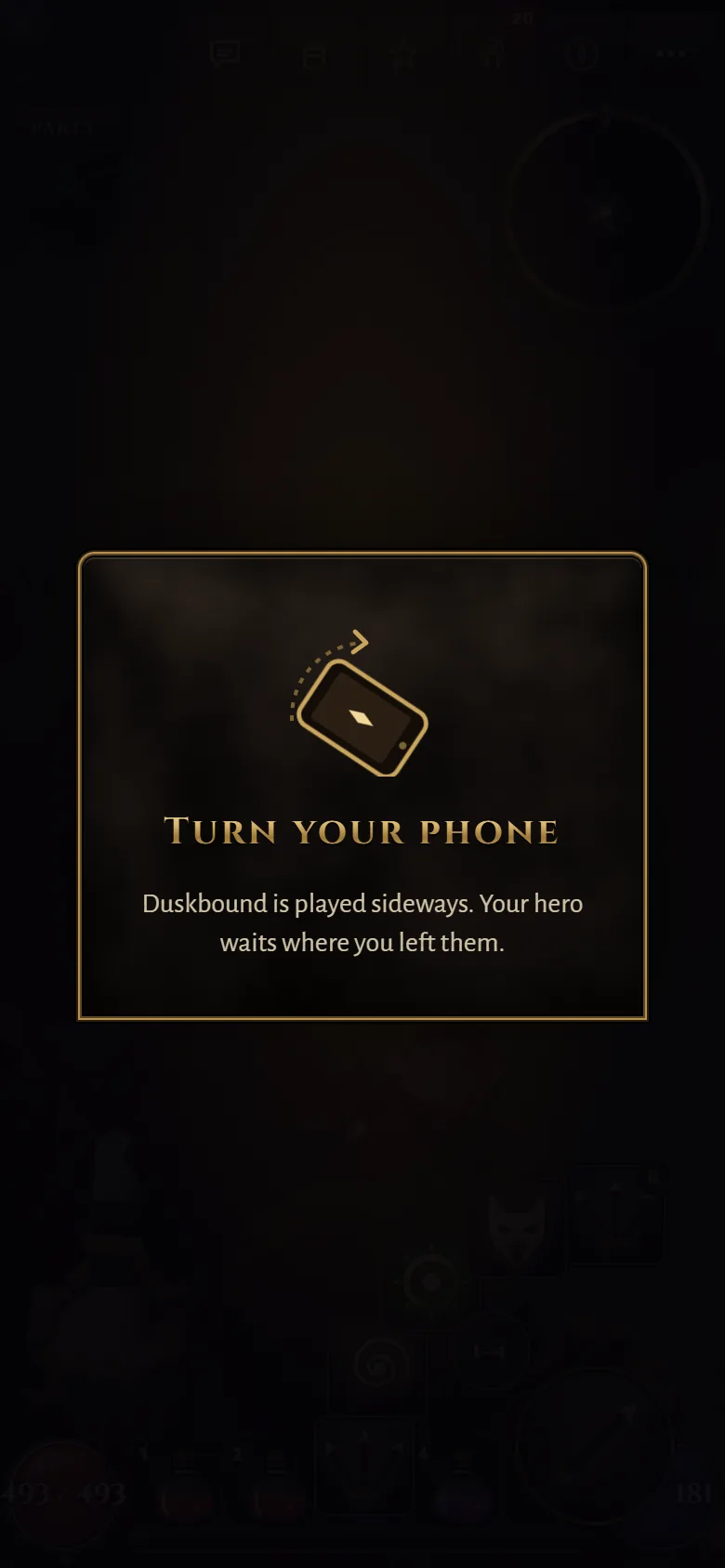
viewport-fit=coverplusenv(safe-area-inset-*)for the notch; chat opens at the top, above the keyboard- Phones play landscape; portrait shows a rotate card while the session keeps running. Other pages work in both orientations from 360 px.
A 27-step play-through on an emulated iPhone
scripts/mobile-play.ts plays by CDP touch events (real pointerType: 'touch') in headless Chromium with iPhone landscape metrics. 27 of 27:
- Movement: touch HUD active, stick moves, light push walks
- Town: interact plate opens an NPC, vendor opens, item sells by tap
- Items and skills: learn and bind to slot 1, unequip and equip by tap
- Panels: every panel by tap and from More, still in touch mode after, chat focuses
- Fields: auto-target fights, a skill spends mana, the plate loots, a potion mid-fight
- Portal and portrait: town portal by touch, rotate card appears, connection holds
Frame rate: 60 fps headless; 57–60 fps with ~20 ms p95 frames under 4× CPU throttle at 1.5× DPR on medium. scripts/mobile-check.ts renders every page in both orientations, fails on horizontal overflow and re-checks the desktop HUD.
Related posts
- The server-authoritative sim: why the pad needed only one new wire flag
- Drawing every icon: the panels the navigator walks, and the glyphs on the bar
- The landing page and the intro: skipping the intro with B or Start
- Testing an ARPG that agents wrote: the virtual pad and the other in-page handles